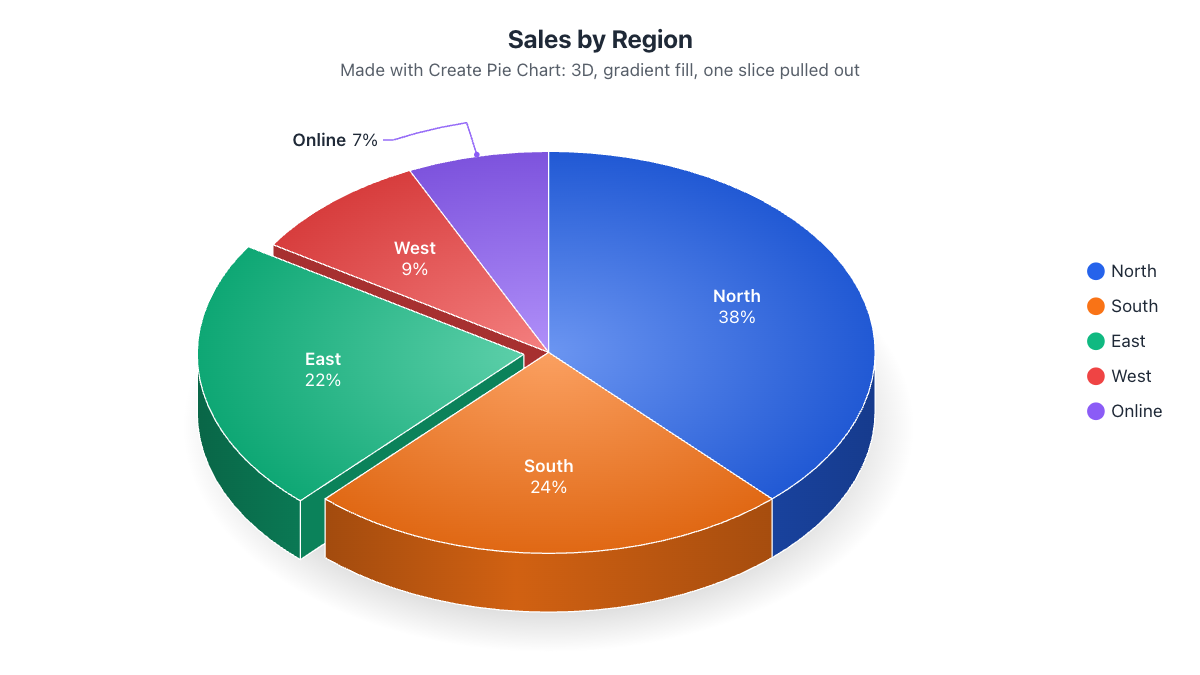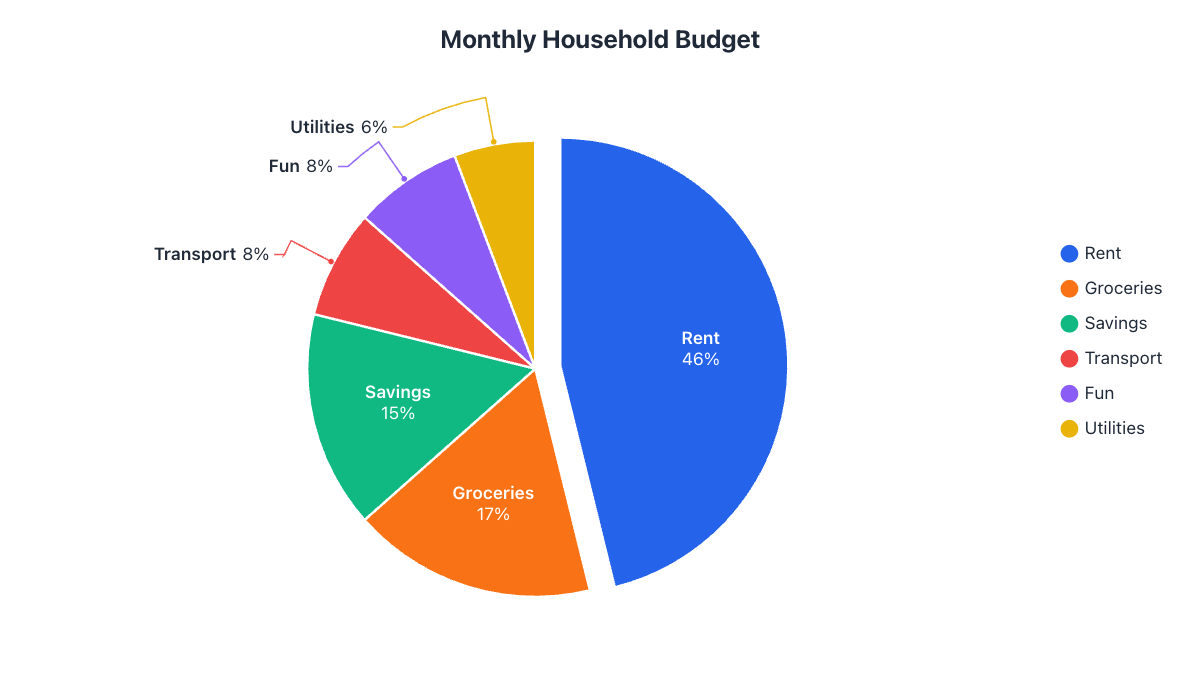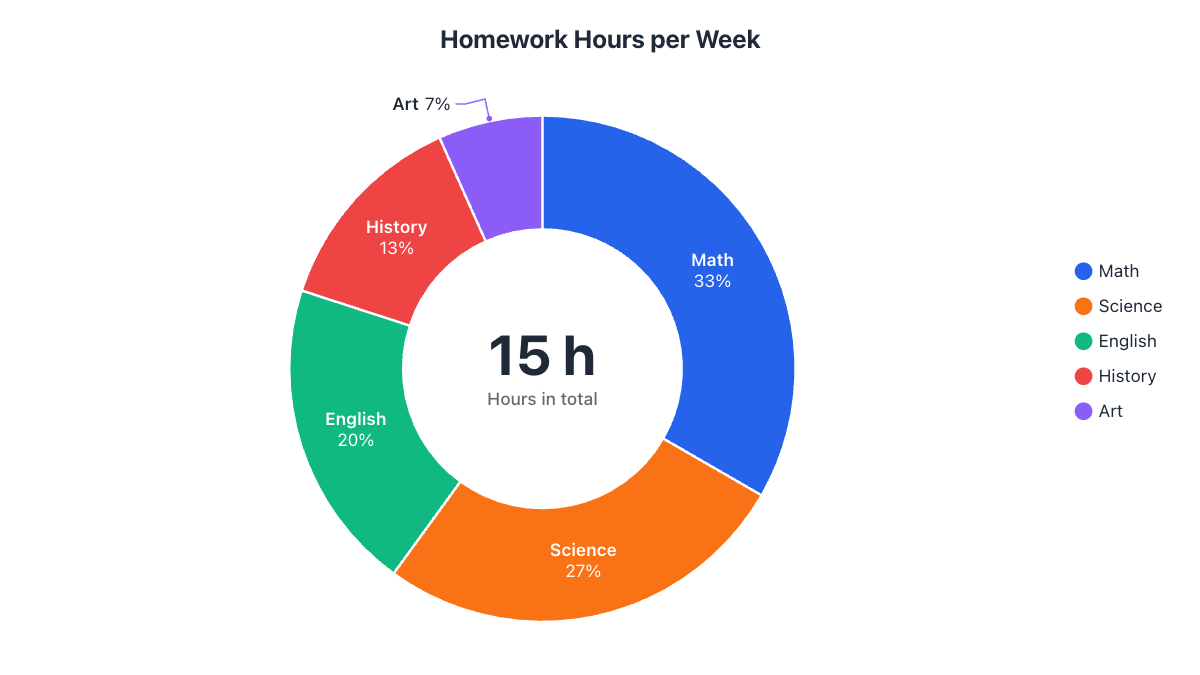
- Pie and donut charts show the same thing: parts of a whole that add up to 100%.
- Pies are read by angle and area; donuts by the length of each arc.
- Use a donut when you want a total or headline number in the middle.
- Keep a donut's hole between about 50% and 70% of its size.
A donut chart is simply a pie chart with the middle cut out, so it’s easy to assume the choice doesn’t matter. It does, a little: the hole changes how people read the chart and what else you can show. Here’s how to decide, with the same data shown both ways.
The same data, two charts
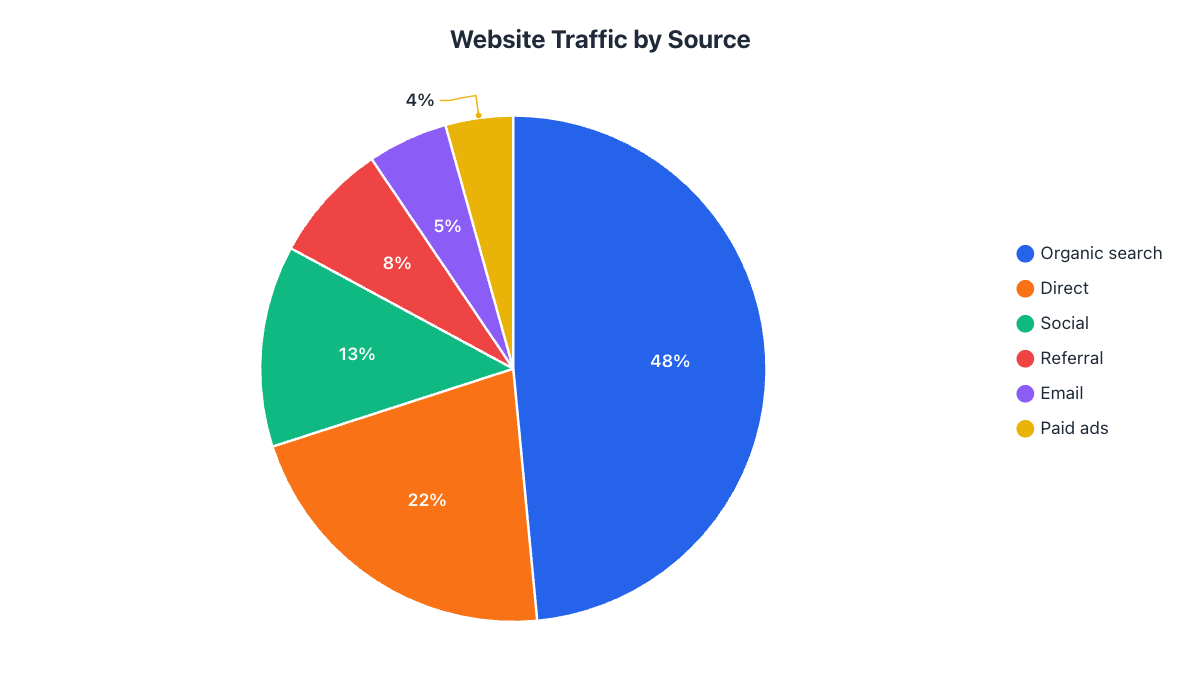
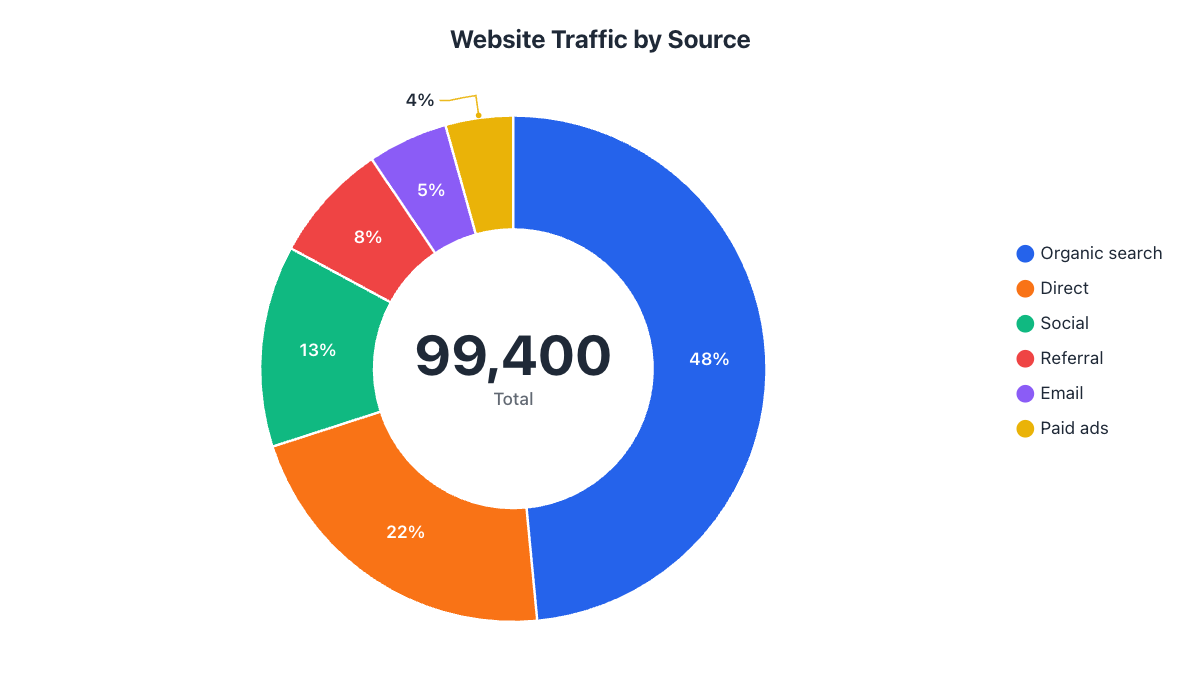
The donut version of this exact data is at the top of this article. It shows the same shares, but frees the center for the total of 99,400 visits.
How each one is read
With a pie chart, people judge slices mainly by their angle and area. With a donut chart, the center is gone, so people judge the length of each arc around the ring. Both are fine for spotting the biggest and smallest parts, and neither is great for comparing two slices of similar size. If exact comparisons matter, add percentage labels whichever you choose.
When to use a pie chart
- You have small slices. A pie gives every slice the full radius, so there’s more room for labels inside them.
- Your audience is general. Everyone recognises a pie chart instantly, including students and non-technical readers.
- You want to emphasise one dominant share, like “Rent takes almost half the budget”.
When to use a donut chart
- You want a headline number. The hole is the natural place for the total or a key figure, right where the eye lands first.
- It sits on a dashboard. Donuts look lighter and pair well with KPI cards and other charts.
- You’re showing progress. A two-slice donut (done vs. remaining) with “72%” in the middle is one of the clearest progress visuals there is.
- You compare groups. Rings can be nested inside each other to compare two years or two groups in one nested pie chart.
Side-by-side comparison
| Pie chart | Donut chart | |
|---|---|---|
| Read by | Angle and area | Arc length |
| Room for labels inside slices | More | Less (thinner ring) |
| Space for a total or KPI | No | Yes, in the center |
| Can show several data sets | No (one pie per data set) | Yes, as nested rings |
| Best for | Reports, school work, general audiences | Dashboards, progress, headline numbers |
How big should the donut hole be?
Between about 50% and 70% of the chart’s radius works best. Below 50% it looks like a pie with a small hole and loses its advantage; above 75% the ring gets so thin that small slices become hairlines and labels no longer fit inside them, so they need to move outside with leader lines.
What to put in the middle
- The total, with a short caption: “99,400 visits”.
- The key share you want remembered: “48% from search”.
- Progress: “72% done”.
Keep it to one number and a few words. A paragraph in the hole is hard to read.
Rules that apply to both
- Use them only for parts of a whole that add up to 100%.
- Keep to about 7 slices; group the rest into “Other”.
- Order slices from largest to smallest, starting at 12 o’clock.
- Label slices directly instead of relying on a legend.
If your data doesn’t fit these rules, a different chart is probably better; see when not to use a pie chart.
Try both with your data
You don’t have to decide in advance. In the donut chart maker you can switch between pie, donut, half pie and half donut with one click, adjust the hole size, and choose whether the center shows the total, your own text or nothing.
Frequently asked questions
Is a donut chart better than a pie chart?
Neither is better in general. A donut is better for dashboards and for showing a total in the center; a pie gives small slices more room for labels.
What should I put in the middle of a donut chart?
One number with a short caption: the total ('99,400 visits'), a key share ('48% from search') or progress ('72% done').
How big should the hole in a donut chart be?
About 50% to 70% of the radius. Smaller looks like a pie; larger makes the ring too thin for small slices and labels.
Can a donut chart show more than one data set?
Yes. Nested rings show two or more data sets around each other, which is useful for comparing years or groups.
Make your own chart in seconds
Free, no sign-up, no watermark. Download PNG, SVG or PDF.
Open the Donut Chart Maker