Donut Chart Maker

Create a stylish donut chart with the total right in the middle. Enter or paste your data, tune the ring and download a high-quality image in seconds.

  • 100% free
  • No sign-up
  • No watermark
  • PNG · JPG · SVG · PDF
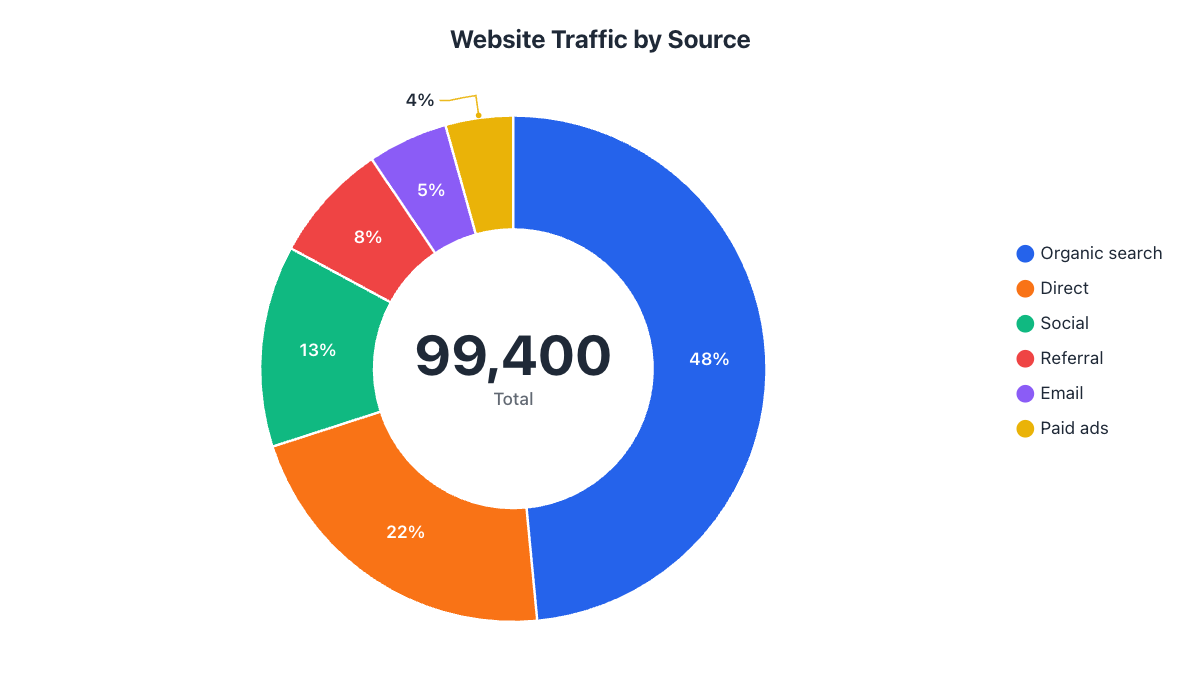
Website Traffic by Source data
SliceVisitsPercent
Organic search4820048.5%
Direct2140021.5%
Social1280012.9%
Referral76007.6%
Email51005.1%
Paid ads43004.3%

Your work is saved automatically in this browser. Nothing is uploaded.

Your data

#Slice name
%Angle°Slice optionsDelete
48.5%174.6°
21.5%77.5°
12.9%46.4°
7.6%27.5°
5.1%18.5°
4.3%15.6°
Total99,400100%360°

Tip: paste cells from Excel or Google Sheets into any cell, or drop an .xlsx / .csv file on the table.

Start from an example

What is a donut chart?

A donut chart (also spelled doughnut chart) is a pie chart with the center cut out. Like a pie, each slice shows one category’s share of a whole, and all slices add up to 100%. The empty middle gives you a natural place for a headline number, such as the total, and many people find the ring easier to read because the eye compares the length of each arc instead of the angle of each wedge.

How to make a donut chart

  1. Type the name of each slice in the first column of the table and its value in the next column.
  2. Check the live total, percentage and angle of every slice in the table.
  3. In the Design tab, set the donut hole size, border, gaps between slices and rounded corners.
  4. In the Labels tab, choose what appears in the center: the total with a caption, your own text, or nothing.
  5. Download your donut chart as PNG, JPG, SVG or PDF, or copy it straight into your document.

Have your data in a spreadsheet? Copy the two columns (names + values) and paste them into the first cell of the table and everything fills in automatically.

Why use a donut chart?

  • Show a total or key figure in the middle, right where the eye goes first.
  • Give dashboards and reports a clean, modern look.
  • Show progress towards a goal, such as “72% complete”, with just two slices.
  • Compare two or more data sets as rings around each other.

Examples of donut charts

  • Website traffic by source, with total visits in the center
  • Budget breakdown, with the total budget in the middle
  • Project progress: done vs. remaining
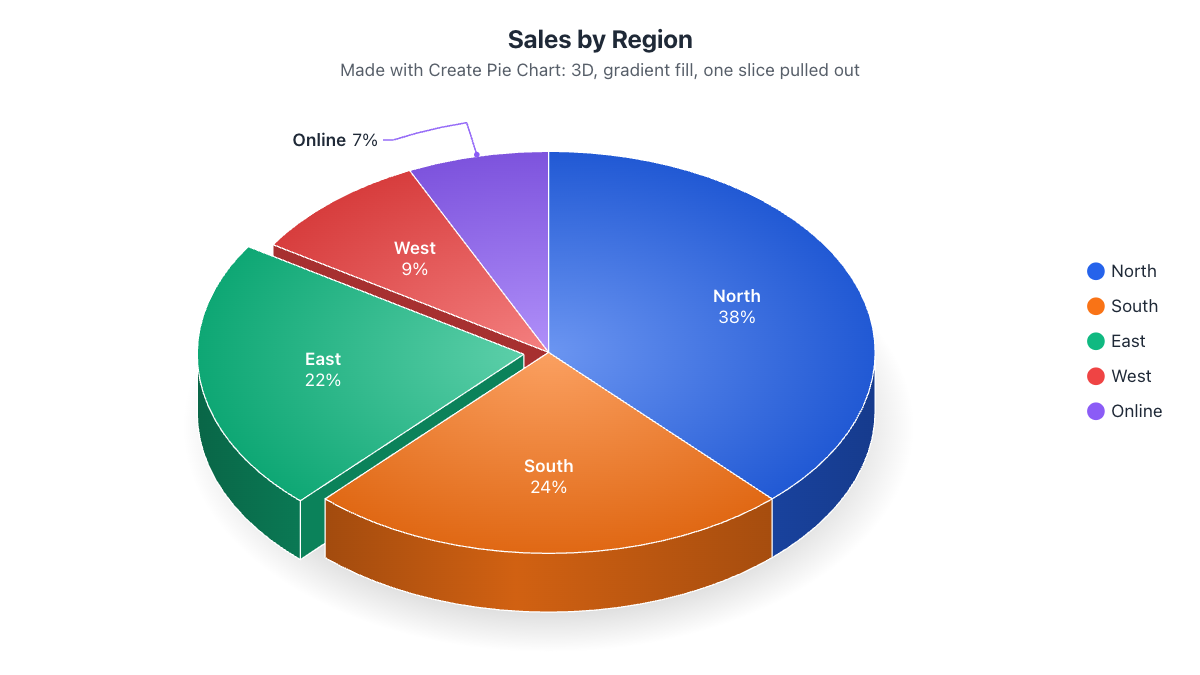
  • Sales by region or by product line
  • Device share: mobile, desktop and tablet
  • Portfolio allocation: stocks, bonds, cash

Tips for a great donut chart

  • Keep the hole between 50% and 70% of the size. Too thin and small slices disappear.
  • Add a small gap between slices and rounded corners for a modern dashboard style.
  • Put the most important number in the center, with a short caption such as “Total visits”.
  • Label slices with names and percentages so readers don’t need the legend.
  • Need only the top half? Try the half donut chart maker, perfect for gauges and progress meters.
Frequently asked questions

What is a donut chart?

A donut chart (or doughnut chart) is a pie chart with a hole in the middle. Each slice shows a category's share of the total, and the empty center is often used to show the total or a key number.

How do I put a number in the middle of the donut?

The total is shown in the center by default. In the Labels tab, under 'Center of the donut', you can change the caption under it, type your own text instead (such as '72% done'), or leave the center empty.

How do I make the hole bigger or smaller?

Open the Design tab and drag the 'Donut hole size' slider. A bigger hole gives a thin, modern ring; a smaller hole looks closer to a pie chart.

Donut chart vs. pie chart: which should I use?

They show the same thing. Use a donut when you want to show a total or headline number in the middle, or when you want a lighter, more modern look. Use a pie when slices are small and need all the space they can get for labels.

Can I make a donut chart with two or more rings?

Yes. Click '+ Add ring' under the data table to add another data column. Each column becomes its own ring, which is great for comparing two years or two groups. See the Nested Pie Chart Maker for more.

Is the donut chart maker free?

Yes, it is completely free with no sign-up and no watermark on downloads.

More pie chart tools

Pie chart guides